Simple EKET IKEA Cabinet File Organizer
Paper clutter made me build furniture
I was running out of desk space and I was starting to just haphazardly stacking my important papers.
I didn't want a desk organizer eating surface area, so I built a file organizer that slides inside an IKEA EKET cube, leaves space on top, and acts like a simple IN / OUT system. I wanted something simple and on which I could start flexing any DIY "woodworking" muscles (that I barely have).
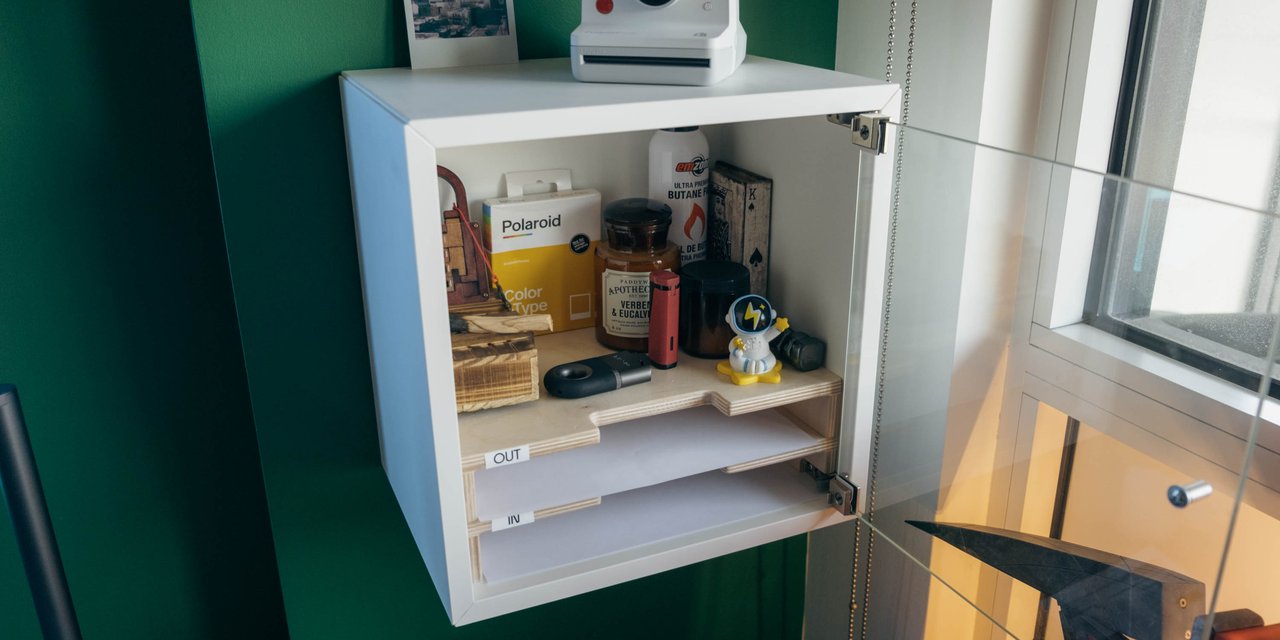
Simple EKET IKEA Cabinet File Organizer
The part I refused to learn the hard way
I knew I could design this BUT I was less confident in the execution.
So I designed a quick 3D prototype first to understand how it would look like (file at the end). When I was happy with the direction, I went to Les Affûtés (opens in new tab) so I can build it with professional help, while relying on my design prototype.
The cool thing was that we could roughly rely on the dimensions of the 3D sketch, and could easily communicate the look and feel.
Only afterward did I realize how much trouble I'd saved myself by bringing the actual EKET cabinet with me. IKEA publishes measurements, so I could have brought those and the sketch, but a few millimeters matter when you're making an insert. Having the cabinet there helped me avoid:
- “Wait, the inside is slightly different than the spec”
- “Whoops, that corner isn’t perfectly square”
- “Cool, the finish added thickness and now it binds”
If you're new to woodworking (hi), this is how you keep it fun (at least, that's how I did it).
At Les Affûtés, I did all the work with help from a master craftsman. I could focus on making it while the wood expert guided me through the woodworking. And it's cheap too!
The 3D model
I modeled the organizer in 3D so I could answer obvious questions quickly:
- does it feel cramped?
- do my fingers have room?
- does it look good inside the cube?
I used Shapr3D on iPad because I didn't have a laptop at the time (only a workstation) and I wanted something I could iterate on anywhere (and wanted to try something new).
Fit and finger clearance
- The insert needs enough room to slide in easily. A tight fit can cause problems.
- The finish adds thickness, and tiny changes matter if you design too tight.
- Leave room for your fingers. If it's annoying to grab papers, you won't use it.
Some stuff to keep in mind
- Measure your actual cabinet, even if the internet gives you a spec sheet.
- Allow for small differences in dimensions. Give the insert breathing room.
- Bring the target object (the cabinet) to the shop/makerspace.
- Keep the system dumb-simple: IN and OUT beats five categories you won't maintain.
- Make it easy to use every day. Looks matter too, but you have to keep using it.
Project files
You can download the Shapr3D model here. You are free to use it under the GNU GPLv3 (opens in new tab) license.
Now go make something!